A full training week can feel harder than the workout in front of you when you try to hold every session in your head. Start with what is ready today: see the next workout, review its exercises, and understand where it fits before you begin.
Step 1: Find the next workout
Open Home. The Next Workout card shows the session name along with its visible exercise, set, and duration summary.

If more than one session is available in the row, swipe through the cards to review them.
Step 2: Open the workout preview
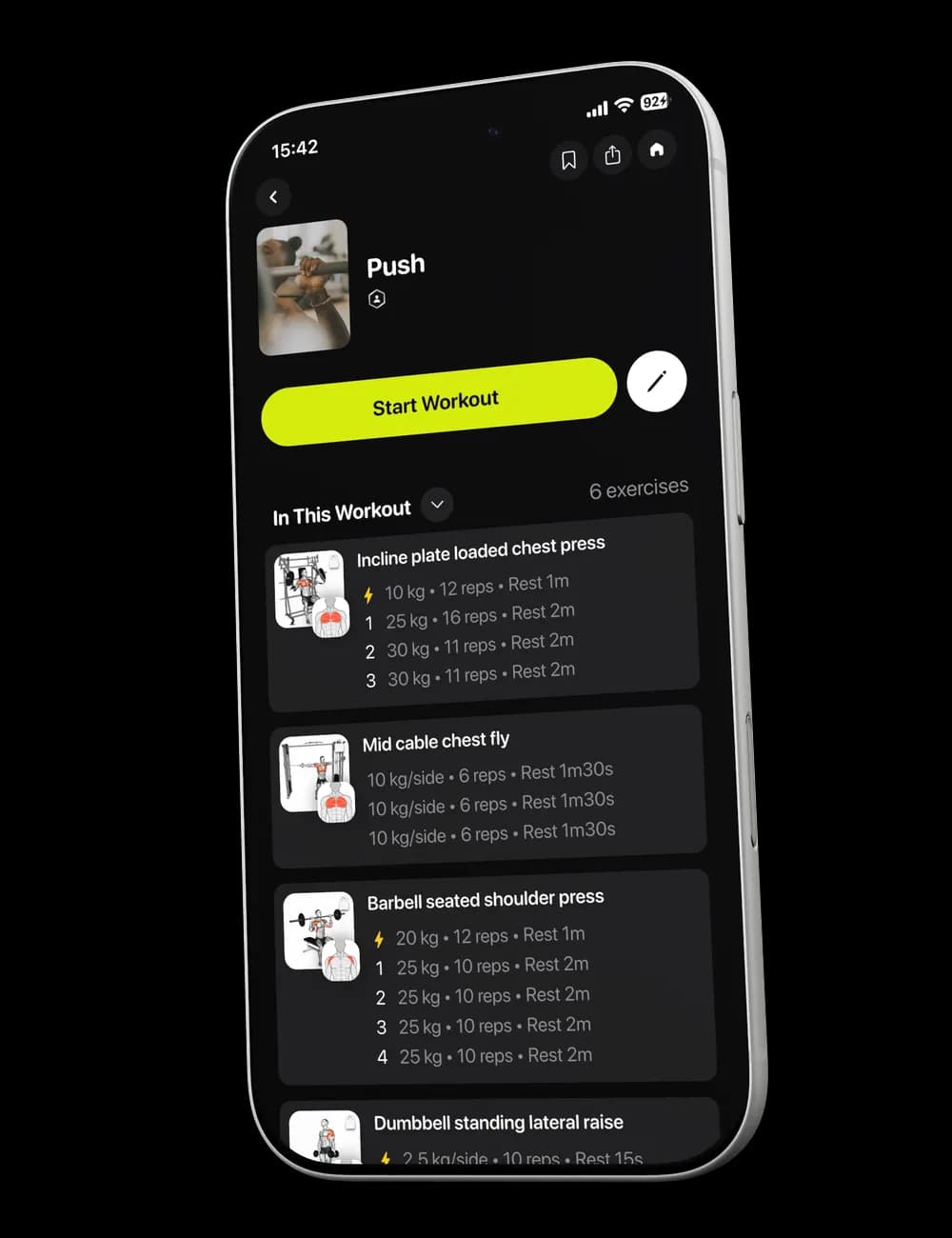
Tap the workout card. The preview shows the workout title, exercise count, set count, estimated duration, and the exercises currently included.

Scroll through In This Workout to review the exercise names and their visible set details.
Step 3: Check the session before you start
Make sure you are in the right training environment and have the equipment needed for the session. Return to Home if you need to change your Gym Profile first.
You can also customize the workout before or during the session when an exercise or the order does not fit today.
Step 4: Review the rest of the week
Use the Calendar to see scheduled and upcoming workouts. Calendar actions are covered separately so this first overview stays focused on understanding the plan.